
Built a Website With AI? Here's What You Need to Do Before Making It Live
 Mishika Gupta19 Oct, 2026
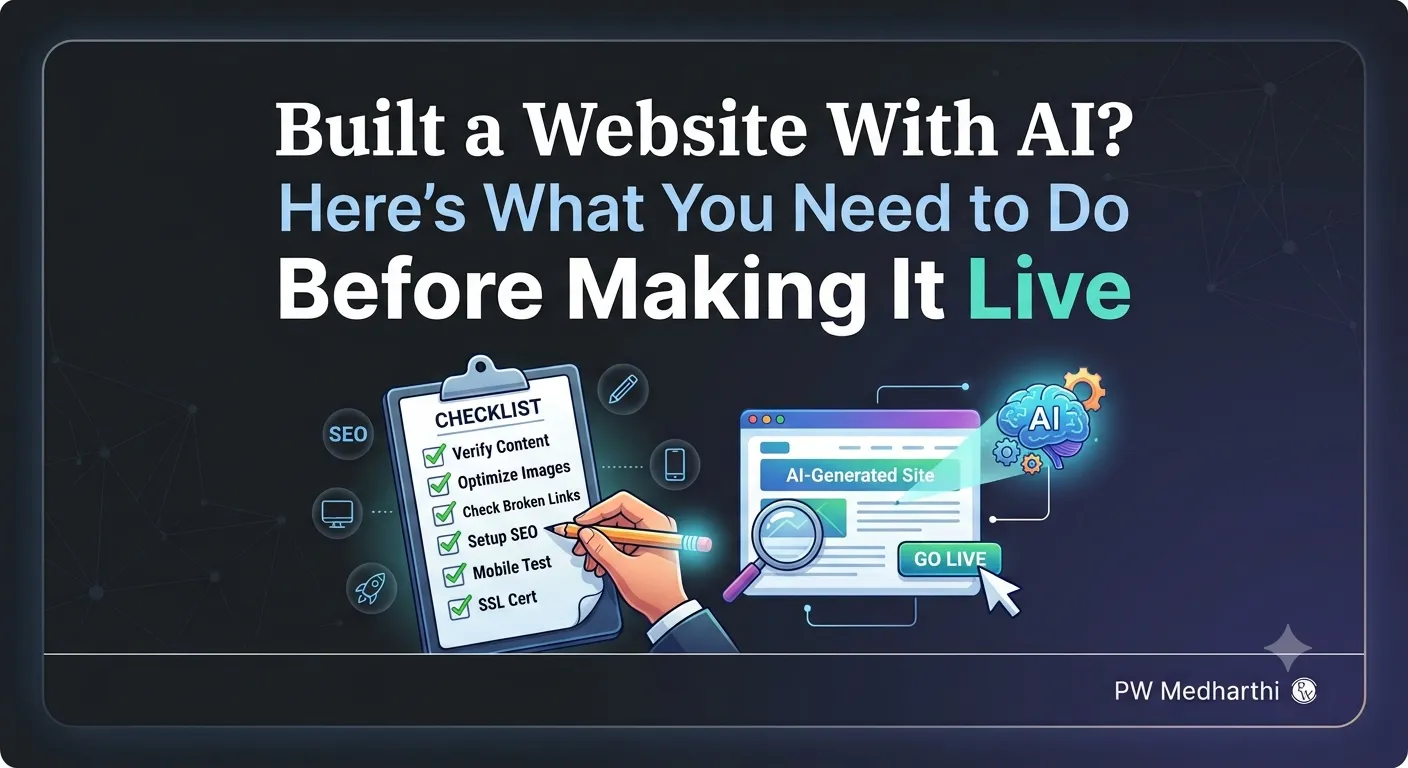
Your AI website builder has worked its magic. The design is ready, the pages look polished, and the Publish button is practically calling your name. But wait! What if a visitor clicks a button and nothing happens? What if your fitness coach client's transformation photos look awkward on the page? Or what looks perfect on your laptop turns into a mess on a phone?
Building a website is one thing. Making sure it is ready for visitors is another.
Before you hit Publish, put your website through a few simple checks. With Lovable, you can spot issues, fix them with prompts, and polish your website without starting from scratch. Let's get your website ready for its big debut!
Step 1: Play Website Detective and Check Every Section
Think of yourself as a visitor arriving at the website for the first time. Can you find the services? Do the pricing plans make sense? Is it easy to find the booking form?
Let's use a fitness coach's website as our example. The coach wants visitors to explore their services, see client transformations, read testimonials, compare pricing, and book consultations.
Open your website in Lovable and scroll through it from top to bottom. Check whether it includes all the sections you asked for:
-
About section
-
Client transformation results
-
Testimonials
-
Pricing plans
-
Frequently asked questions (FAQs)
-
Booking form
-
Footer
Your mission: Check whether each section is present and looks right. If something is missing or needs changing, make a note of it. You will fix those issues as you work through the next steps.
Step 2: Click Everything That Looks Clickable
A button can look perfect and still leave visitors wondering what to do next. So, don't just admire your website. Put it to work!
Here's what to test:
-
Navigation links: Click the links and buttons to check how they behave.
-
FAQs: Select a question and check whether its answer expands. Select it again to see how the section behaves.
-
Booking form: Enter information and try submitting the form.
-
Form validation: Check how the form responds when you submit it.
Found something that isn't behaving as expected? Head back to Lovable and describe the issue. Ask it to update the relevant section, then test the result again.
The trick is simple: don't assume an element works just because it looks right. Click it and find out.
Step 3: Give Your Website the Phone Test
Your website looks stunning on your laptop. Great! Now comes the real test: open its mobile view.
A layout that looks spacious on a large screen may feel cramped on a phone. Images might not sit quite right, and the navigation or booking form may need adjustments.
In Lovable, review the mobile layout and scroll through the entire website. Pay attention to:
-
Navigation: Does it appear as expected on a smaller screen?
-
Images: Do they fit properly within their sections?
-
Content: Does each section look right as you scroll?
-
Booking form: Does the form display as expected?
If something looks off, tell Lovable exactly what needs fixing. Identify the affected section and describe the change you want. Once Lovable updates the layout, check it again. Using AI tools is one thing; understanding the technology behind them is another.
Want to build deeper knowledge of generative AI and machine learning? Explore the Professional Certificate Programme in Generative AI and Machine Learning.
Remember: Getting an AI builder to create a mobile-responsive website is a useful start. Reviewing the actual result is what helps you catch problems before publishing.
Step 4: Give Your Headline a Makeover
Now that you've checked the layout and interactive elements, look at the words on your website.
Does the main headline communicate what the business offers?
For our fitness coach, a headline such as “Welcome to Our Fitness Website” would not be particularly memorable. A more direct option is:
“Lose Fat, Build Muscle and Stay Consistent.”
Want to update the headline in Lovable? Here's how:
-
Identify the existing headline you want to change.
-
Enter a prompt with the exact replacement text.
-
Submit the prompt and let Lovable update the section.
-
Review the new headline to check whether it matches your requirements.
You can use the same approach for other sections that need editing. Instead of asking Lovable to make something better, tell it precisely what you want changed.
That small difference makes your instructions clearer and gives you more control over the result.
Want to use AI beyond website creation? Explore the AI Marketing Funnel Masterclass and learn how AI can help you build effective marketing funnels.
Step 5: Fix Those Before-and-After Images
For a fitness coach, transformation images can be an important part of the website. But what if you don't have images ready to use?
You can use ChatGPT to generate two images and provide them to Lovable for the before-and-after section. Once the images are in place, it's time for a visual check.
-
Provide the two generated images to Lovable.
-
Identify the before-and-after section you want to update.
-
Ask Lovable to replace the existing images with the new ones.
-
Review how the images fit into the layout.
-
If a face is not framed correctly, try the prompt: “Keep the face in the frame.”
-
Review the images again after Lovable makes the changes.
Still not quite right? Give Lovable another specific instruction explaining what needs to change.
The lesson here is that your first prompt does not have to be your last. You can keep refining the result until it better matches what you want.
Step 6: Do One Last Round of Edits
You've checked the sections, clicked the buttons, reviewed the mobile layout, updated the headline, and adjusted the images. Now, take another look at the website as a whole.
Did the changes turn out as expected? Is there another section that needs editing?
Make a list of any remaining issues and address them one at a time in Lovable. You can ask it to change a headline, adjust an image, or refine a particular section without rebuilding the entire website.
Once each change is made, review the result.
Think of the AI-generated website as your first draft, not your final submission.
Lovable does much of the initial work, but you still need to guide the tool and decide whether the result meets your requirements.
Step 7: Publish Your Website in Lovable
All the checks are done, the changes are in place, and your website is looking the way you want. Now you can move on to publishing.
Here's how to do it:
-
Click the Publish option in Lovable.
-
Review the website name displayed during the publishing process. Edit it if required.
-
Continue through the available publishing options.
-
Complete the publishing process.
-
Open the published website using the link provided.
-
Share the link so others can access your website.
And that's it! Your website is live and ready to share.
Creating a website is just one part of building your digital presence. Want to explore how AI fits into digital marketing? Check out the Gen AI Digital Marketing course.
The Final Takeaway: AI Builds the Draft. You Make It Ready.
Creating a website with AI can save you from building everything manually, but pressing Generate is not the end of the job.
You still need to check whether the sections match the brief, test interactive elements, review the mobile layout, and refine the content and images. Tools like Lovable can make these changes through prompts, so you don't have to rebuild the website every time something needs fixing.
The real skill is knowing what to ask the AI to change, spotting what isn't working, and reviewing the result before you publish.